Showing posts with label commentary. Show all posts

Monday, February 9, 2015

Out of the Gutter: The Ken Lasko Story, Part 3, Part II

One day in the late 1990's, I got a call from an old co-worker from my Microsoft days asking me if I wanted to help out on a 3-month long consulting job for the provincial government managing their Microsoft Mail 3.5 system. I told him that I've never even HEARD of MS-Mail, let alone know anything about it. He assured me that I'd be able to figure it out and strongly suggested that I give it a try. Since the pay I would get in three months was going to be as much as I was making at my current job in a year, I jumped at it.

So began my consulting career.
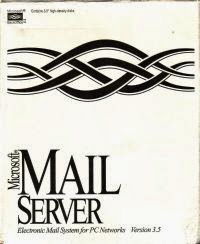
Working with this was as dirty as this package implies.
I started work with a third guy we both knew from Microsoft support and got a crash course in MS-Mail. Since there wasn't
all that much to it, it didn't take long. MS-Mail was a collection of "post offices" that worked more or less completely independently of any other post office.  There was no central management console, so you'd have to connect to each post office individually to do any maintenance or troubleshooting. The provincial government had more than 220 post offices in their deployment, so management was a nightmare. Since there was no central management to speak of, there was no way we could tell there was a problem unless we went and signed into every single post office to check the status of mail delivery, GAL synchronization and that sort of thing. Since that wasn't feasible, we operated in reactive mode, where we would wait for someone to call in to report an issue. We would then log into the affected post office, fix the issue and continue on.  We got pretty good at it, so our contract kept getting extended more and more.

The job proved to be both time-consuming and monotonous. We decided to figure out a way to make our job easier so we could free up time for web-surfing and game playing. My counterpart worked on developing a Windows service that would collect all the pertinent information from each post office and put it into a central repository.  I worked on a web-based front-end that would show us near real-time information from each post office.  Problems would be highlighted in red, and we got it to the point that you could just click on the red counter, and it would initiate the typically required fix for that issue.

After many months of development, we were at the point where we would show up to work, bring up the webpage, and quickly deal with any issues by literally clicking on a red button to trigger the required fixes on any number of post offices. Call volumes dropped dramatically, and we both realized we were sitting on a goldmine. We could have become rich if it weren't for an annoying software development from Microsoft called Exchange Server.

The provincial government had decided to start moving to Exchange Server 5.5 in 1999.  While we weren't directly involved in the design of the environment, we had our hands deep in the support and migration away from MS Mail. By the time the 21st century had arrived (well, not technically since it was still 2000), we were both pretty adept at working with Exchange Server 5.5.  Eventually, support moved to a central call centre far north of where we lived and our services were no longer needed. So 2.5 years after I left my previous job for that short, high-paying, 3-month consulting gig, I was looking for another job.

The same person who got me on the MS-Mail gig introduced me to the right people at what was then Software Spectrum, and I started work as a consultant. Soon after, Software Spectrum sold their consulting business to Buchanan Associates (now Buchanan Technologies). I primarily consulted on Active Directory and Exchange projects, and had my hand in quite a few of them over the years. I got to work in some pretty fun places, especially Bermuda, where I was on a Citrix and Exchange gig with our IBM partner for several months.

In 2007, my boss at the time said that he wanted me to become the company expert in Office Communications Server (OCS).  The first thing I said was "OK. What's OCS?". The second thing I said after I found out what OCS did was "You want me to be the instant messaging expert???" At the time, Exchange had flirted with including some IM capabilities, but it was never used by many in the corporate world.  IM was seen as something used by kids.  I had images of "OMG Ponies!!!" and "LOL" and thought my boss was trying to make me quit my job.

When I dug in deeper into OCS, I saw there was some telephony integration capabilities and became intrigued, mostly because I had no idea how you could use your computer to make telephone calls. When Office Communications Server 2007 R2 came out, we jumped aboard in a big way and moved a chunk of our users over to it for all their telephony.  OCS, and then Lync became my sole focus, and I moved entirely away from Exchange and AD consulting.

My first go at the Optimizer was a VBScript HTA program.
Around 2010, I thought it might be a good idea to start blogging some of the things I couldn't find answers for about Lync. At the time, I thought I was late to the blogging party. My first post was in fact titled "Late to the Party".  I also began work on a locally run version of what would become the Lync Dialing Rule Optimizer to deal with the odd local vs. long distance conundrum that exists in North America.

Fast-forward five years, and my blog is quite heavily read, I've spoken at numerous events and the Lync Optimizer now supports 100 countries. I became the Lync Practice Manager for Buchanan Technologies and was overseeing how we deliver Lync to our customers. I always felt that Buchanan took care of me, and made sure I was happy in my career. Life was busy, but good.

But along came David Tucker from Event Zero, riding in on a white stallion with the promise of greater things. After much whining and dining, I finally decided to make the jump from Buchanan Technologies, a consulting company with 500 people worldwide, where I spent 15 years of my life to the Event Zero team.

If you don't know Event Zero and their phenomenal Dossier product line, you really should check it out. The best way I can describe it is "Lync Monitoring Reports on 'roids, but without the rage". It extends the not-so-real-time, slow to respond, frustrating, and hard to use reports that comes with Lync, into something that provides real-time, useful and easy-to-get-to reports on all aspects of Lync activity. There are also numerous other add-ons that can really make your Lync deployment work better for you.

I've been brought on to help drive Event Zero Dossier deployments, and ensure clients are getting the most out of their Lync deployments through effective reporting.

For me to leave my Buchanan Technologies "family" after 15 years, you know that I must have seen something special in Event Zero, and no, it wasn't the fact that Dave loves to cuddle on cold winter nights (which don't happen often in Australia).

My big career switch made me somewhat nostalgic, which led me to doing this series. There weren't nearly as many explosions or top-secret espionage capers as I would have hoped to have achieved at this point in my life, but there is still time.  Maybe the next chapter in this series will deliver on that....

Until then......adios!


Monday, February 2, 2015

Out of the Gutter: The Ken Lasko Story, Part 3, Part I

Part 3, Part I - Tech Support Hijinks

In the spring of '94, I went to a local job fair to look for a summer job that was different than working at the 1 hour photo lab as I had done previous summers. After browsing a while, and leaving my resume at a few places, I came across the Microsoft booth. They were looking for technical support people for their Canadian office. I felt this was the perfect opportunity for me. I figured with my TA experience, I would be a shoe-in for the job. I excitedly explained all this to the people manning the booth, and I must have made a good enough impression, because in April of 1994, I got hired to work at Microsoft as a technical support engineer.

I was thrilled to get the opportunity to work for such a big company. When I got the job, I was told that I would be supporting MS Word 6.0. Having never used Word 6.0 before (I had always used WordPerfect), I was concerned. So, I did what any self-respecting computer guy in the 90's did, I found a copy of Windows and Word 6.0 on the still young Internet, installed these not-so-legal copies on my computer and gave myself a crash course in Word 6.0.

I saw variations of this pose from my managers all too often.
I didn't think I was ready by the time I started my first day at MS. Thankfully, instead of supporting Word, I was assigned to support MS-DOS 6.2. Having lots of experience with MS-DOS, I was relieved. For the next while, I supported MS-DOS 6.2, which consisted mostly of editing people's CONFIG.SYS and AUTOEXEC.BAT files so they could free up enough memory to run whatever program they needed. Keep in mind, there was no such thing as remote desktop back then. All this was done by coaching the user over the phone. Slow and time-consuming work to be sure, but I enjoyed the atmosphere. I had some great bosses and co-workers at the time, and the workplace was fun and lighthearted. You could often see other guys on calls popping up over their cubicle walls waving at one another. I moved around a lot, even while tethered to a desktop PC with an audio headset.  I would stand on my desk, lie on the floor, or wander as far from my cubicle as my headset cable (or was it a leash?) would allow.

As with most tech support jobs, it involved a lot of sitting.  At lunch, you'd go down to the cafeteria, eat and sit some more, then go back and sit at a desk again.  To keep fit during the summer, I decided to try rollerblading. Having never rollerbladed before, I strapped them on in the office and rolled around the cubicle farms to learn the basics. Soon afterwards, there was a "No Rollerblading" policy instituted, which may be my only legacy from those days.  Rather than spend my lunch hour sitting in the cafeteria, I would go out and rollerblade as far away as I could go in 30 minutes, turn around and head back. I'd grab a shower, which sometimes wouldn't "take" on some of those hot days, and I'd sweat my way through the next few calls.

I had so many CD-ROMs that I used a bunch of old ones as a Halloween
costume.  Meet CD-MAN!!!
I made sure I took full advantage of the employee purchase program, which allowed you to buy pretty much anything from Microsoft's catalog at greatly reduced prices. I ordered copies of just about every CD-ROM based product MS had at the time, including things like Encarta, Cinemania, World of Flight, even Julia Child's cooking guide at 1/10th the cost of retail. I recall an offer where you could buy Visual C++ for $50, and it would come with a SCSI CD-ROM drive, complete with SCSI interface card. I used the CD-ROM drive and SCSI card, but tossed the rest.


When fall of 1994 came around, my contract was extended. I decided to delay my final university year to continue working at Microsoft, since it was too good an opportunity to pass up. Over time, I got assigned to the Windows 3.1 queue, then the Windows for Workgroups 3.11 queue, where I got my first taste of working with TCP/IP (a nightmare at the time). We got introduced to early builds of "Chicago", which would become Windows 95, the biggest consumer OS play Microsoft had done up until then. I remember copying weekly builds onto 15 or more 1.44 MB floppy disks to install on my computer at home. It was pretty neat to see the progression of features and stability as time moved on.

All the OS support guys underwent extensive training on Windows 95 in preparation for what we
thought was going to be a very busy time when it was first released to the public. I can remember the excitement building as the release date inched closer. We once got involved in the media blitz by going to a local computer tradeshow where we offered to install betas of Windows 95 on any customer-facing PC that was available in a vendor's booth. At the time, IBM was pushing OS/2 Warp as an alternative to Windows 95, and IBM people were walking around doing the same thing. I remember installing Windows 95 on one PC at a vendor booth, while an IBM guy installed Warp on a PC beside it in a sort of geeky showdown. A small crowd gathered to watch as Windows 95 smoothly installed and worked flawlessly, while the poor IBM guy was sweating through issue after issue. I don't know if he ever got it going.

On the day Windows 95 finally released, I was sitting in my cubicle waiting for the onslaught of
Even the Hoff loved Windows 95
calls. We heard about the lines at stores snaking out the doors. At lunch we went out and marvelled at the sight of so many people buying Windows 95. I've never seen it before or since. Back at work, we twiddled our thumbs. The calls were trickling in at a slow rate, but most of us sat idle. We were all wondering if Windows 95 was so stable and easy to use, that nobody was having issues. At around 5pm, as people got home and presumably started installing Windows 95 in excitement, the call volume went up dramatically. Within 30 minutes, we went from idle to full tilt with long wait times for the large number of users waiting in the queues. We churned through the issues day after day, but it wasn't too long before call counts settled into a new level of "normal call volumes".

With fall of 1995 approaching, I debated whether to stay at Microsoft of return to university to finish my final semester. I didn't see the point since I felt that I had started a good career at Microsoft, and all I would get is a piece of paper. I confided to my boss, who had the absolute best advice ever: "What's 4 months out of the rest of your life?"  So, with that, I went back to university and got my bachelors degree. While I was at school, my MS boss was wonderful in that he let me work the queues the odd day or weekend, even though I was sure they didn't really need me.

When I finally finished university, I returned full-time to Microsoft, but I felt that something was different. I had my university degree, but here I was still doing the same technical support I was doing before. I needed a change, plus the commute was starting to wear on me.

In the spring of 1996, I decided to take a job as a "sales engineer" for a PC card company based out
of the my home city. If you were around laptops back then, things like built-in modems and network cards just weren't an option. You had to use credit card sized packages called PCMCIA cards (or simply 'PC Cards') to get these functions. Laptops of the era usually had 2 or more of these slots. Need a modem? Go buy a PCMCIA modem card. Need a network card? Buy a PCMCIA network card. Our company had an edge in that we had the world's first combination network/modem card. These playing-card sized devices had an interesting playing card-based motif that definitely caught people's attention.

My job was to travel the US and Canada helping the salespeople with the technical aspects of their PCMCIA cards. For a 20-something guy, this was a sweet gig. I got to go to some pretty cool places across the continent with some fun people. This company also had a 3-port networking hub dongle that you could use to create a simple ad-hoc network with other laptops. You could daisy-chain these things together to add more laptops to your network. Our favourite thing to do was to throw network cables between the seats on an airplane so we could play multiplayer Quake during cross-country trips.

I was at this particular job for a few years, when a chance call from an old colleague from my Microsoft days turned my career into another direction that led directly to where I am today.

Continue reading the dramatic conclusion - "You want me to be the expert on WHAT????"

Thursday, January 29, 2015

Out of the Gutter: The Ken Lasko Story, Part 2

Part 2 - Higher Learning

Through most of high school, I was a solid C student. I did the minimum effort required to get by without raising the ire of my parents or teachers. I was more focused on having fun without giving much thought to the future.

It was on a cool, cloudy spring day in 1989 when I made the decision to go along with a bunch of friends on a road trip to check out some universities in Southwestern Ontario. I was in Grade 12 and probably should have been thinking about what university to apply to, but I really wasn't. Our school system was on the verge of eliminating Grade 13, so there were some who would head off to college/university after Grade 12, and others who would wait another year and go through Grade 13.

So, we all piled into a few cars and made the 3 hour road trip down the 401 past Toronto to check out
Me and my car. KITT never liked being second-billed. I'm not
sure what I'm holding in my hand, but it looks large!
3 universities in one day. The first one was an arts focused university, which I knew I would never go to. The second was a university well-known for its math and computer departments. We did the campus tour, but I never got a good vibe from it. It felt cold and sterile. The third university was well-known for its veterinary and agricultural colleges. More importantly, it had a very warm and cozy feeling that made me instantly feel like I had found my match. We took a trip into the downtown core, where I felt even more at home. I had found where I wanted to go to university.

Now, you might be thinking that since I'm in IT now, and based on my familiarity with computers growing up, that I would have felt the math and computer science focused university was my place. Strangely enough, I never felt like I was a "computer guy" growing up. Sure I knew my way around a PC, but it was always with a goal of getting something else...games to play. The computer was just a tool to do that. I hadn't really come to any conclusion on "what I wanted to be when I grew up". All I knew that it would be related to a science major, which my chosen university was a solid performer.

There was just one problem...my marks. Being a C student wasn't going to get me into a university of the calibre that I fell in love with. So, since I had a year to get my act together, I did just that. I was determined to get into my chosen university, so I hunkered down, applied myself, did the work, and turned myself from a C student to very close to an A+ student. Heh, my parents and teachers were right after all: "If you only applied yourself..."

I applied to 3 top sciences related universities in the province and got accepted to all of them. Which
one to choose? My criteria was simple: I had to be far enough away from home to keep my parents from dropping in all the time, but close enough to get home without too much difficulty should the need arise (ie. home-cooked meals, free laundry). My selection process was a bit dodgy though. I eliminated the one math/computer university solely on the campus atmosphere. I was left with two, both equally good. One was the university I fell in love with during a campus tour, and the other was one that I hadn't gotten the chance to see, but looked very promising. Decisions, decisions. My final choice came down to a simple thing not at all related to academics or career potential: I could get a pizza with my meal card at 2 in the morning at the university I toured and loved, but not at the other. Yeah, that was the clincher.

So, in the fall of 1990 I showed up at university and started off on a life sciences major with vague aspirations to be either a marine biologist or a kinesiologist. I partied a lot, and slipped back into solid C student territory. I was introduced to the concept of "email", where I was absolutely floored that I could send a message via computer to someone on the other side of the world, even though I didn't know anybody on the other side of the world. There were chat rooms, newsgroups and text-based games people would play. Since most people didn't have a computer, you would have to sign up to use one of a bank of computers in the library.

I had saved up some money during the summer and bought myself a computer, which was a 286 with probably 1 or 2 MB of RAM and a small hard drive (likely 20MB). Again, it was used for word-processing and as always...games. At some point, I managed to get it hooked up to the school network, probably via modem, but the details are fuzzy (it was nearly a quarter century ago.....damn, I'm getting old).

My 1st year roommate studying hard.
Early in second year, I took a introductory computer course geared towards science students. It offered BASIC programming, WordPerfect, Lotus 1-2-3 and basic DOS command line stuff.  I already knew WordPerfect, Lotus and DOS, so I figured it would be an easy A. Sadly, the course itself was terrible. The teacher was disorganized and the course materials (developed by the teacher) were hard to understand or flat out incorrect.

We had numerous labs where we had to create BASIC programs, make spreadsheets and that sort of thing. It turned out that I had a knack for programming, and I was always among the first to complete the labs. I would then go around and help others with their labs too. I had a lot of fun doing that and it definitely helped me meet the ladies, which wasn't hard since this particular university was known for its abnormally high percentage of women (as high as 75% by some estimates). I came out of that course with the highest mark of my university career.

Unfortunately, my marks in courses like Biochemistry did nothing to keep up a good average. I wasn't enjoying myself, and was struggling. I recalled how well I did in Intro to Computers, and thought that maybe I should switch to Computer Science instead. So I did.
My on-campus residence room in 2nd year, circa fall 1991. I had a thing for Marilyn Monroe...and Cindy Crawford.
Working at a photo lab allowed me to print out lots of the many party pictures I took, which I used as wallpaper.

If I chose this particular university because of the female to male ratio, then I completely undid that by going into Computer Science. The classes were 95% male, and I didn't have much in common with any of them, so didn't make many new friends. On any given evening, most of them were in the UNIX lab programming, while I focused on my alcohol consumption. I did alright, but nothing really set me on fire (figuratively or literally). There were many courses that bored me to tears, but in order to not lose any ground with the courses I already took, I kept Biology as a minor, so there was some variety.

It was during this time that someone introduced me to something called the World-Wide-Web. You could use a "mouse" (a new thing at the time) to click on text in a "browser", which would go to a server somewhere else in the world and show you a picture or something, all without using a keyboard. I recall the first thing I saw was a picture of the Earth from space. The picture took several seconds to draw, even over the dedicated Internet line. I was amazed. The possibilities seemed truly endless.

During a class in COBOL (why????), my teacher (not-so-interesting trivia: that teacher is now the
I excelled at Falconry 101
Minister of Education for my province) posted a notice about becoming a teaching assistant for the Introduction to Computers course I aced a few years back. I jumped at the chance. Not only would it give me some much needed extra cash, but I actually truly enjoyed it when I was helping others with their computer problems.

I applied for, and got, a teaching assistant position for that course. For the rest of my university career, I taught labs and helped people through the still awful course material. I hung out with some of the other TAs, who were a year ahead of me and weren't your typical 90's era computer-types at all.  Every night that I would go to the bar (which was usually every night), people would come up to me and say "Hey, you're my TA!!"  I felt like a minor celebrity.

I went through most of university like this. I took 4 or 5 courses a semester (usually 4, dropping whatever course had night classes or a too-early Friday morning class). I held down 3 jobs at the same time: I was a TA, worked at a 1-hour photo lab, and DJ'd at a local bar/restaurant every other Saturday night. With all these jobs, I had enough money to continue going out almost every night. I have no idea how I managed to do this, plus pass all my courses...maybe that's one of the best things I learned at university: work hard, play hard.

Join me next time as the TA job leads to something that starts me down the path that ultimately put me where I am today, in Part 3, Part I - Tech Support Hijinks.

Monday, January 26, 2015

Out of the Gutter: The Ken Lasko Story, Part 1

I've really gotten a kick out of reading people's IT backstories on their blogs, so I thought I'd add mine in.  This will be much like the Twilight and Hunger Games film series.  There will be 3 parts, but the third part will be broken up into Part I and Part II to drag things out and to maximize profits.

April 1941, London, UK. The Germans had been bombing London for more than 6 months, in what had been called "the Blitz".  I was a teenager then.....no wait. That wasn't me.

Part I - Boyhood, but not as good as the movie

I grew up in a farmhouse in the middle of nowhere in central Ontario, Canada during the 1970's and
You can almost see the sweat in this true-to-life simulation.
80's. Our nearest neighbour was nearly a kilometer away, and we had lots of land to entertain me and my younger brother. We rode our bikes, explored the forest, played in barns; very wholesome stuff. My very first exposure to anything computer-related would have been the seminal Atari Pong video game, which we had in our Grade 1 classroom when I was 6 years old. Even with the simple graphics of the time, it was something that we loved to play when allowed. A few years later, I started to waste as much time as my parents would let me playing the growing number of arcade games located at our local mall. I can still remember playing Space Invaders, Asteroids and all those early classics with the precious few quarters I got for an allowance. I was never the video game master that I imagined I was in my mind.

The possibilities were endless!
My first experience with a real computer was the Commodore PET computer that resided in our classroom. I think it was Grade 5, which would have been 1982. I remember inserting a cassette tape and waiting for sometimes up to 30 minutes for the program to load. The longer it took, the better we thought the game would be. The only game I remember was some variation of Lunar Lander, which I thought was awesome. This was also my very first exposure to programming, which usually consisted of the following extremely complex BASIC program:
10  PRINT "<InsertSwearWordHere>";
20  GOTO 10

This would endlessly scroll the chosen swear word, but with the added feature of filling the entire screen, instead of just a single column, thanks to the addition of the semi-colon. This alone differentiated me from the other students, and pegged me as a "computer genius" (or maybe nerd). From that moment forward, I knew computers were going to be an important part of my life....actually no. It was just a way to waste time with games and to irritate teachers.

Look familiar?
My parents brought home the Magnavox Odyssey2 gaming system sometime during the same period. This thing was a true piece of crap, with bad graphics even by the very low standards of the day. My parents thought the built-in touch keyboard would encourage us to take up programming, but we had very little interest in this. We only played the various terrible knock-off games that were available, like KC Munchkin (think Pac-Man). Despite the general awfulness of the Odyssey2 games, we played the hell out of that thing.

A few years later (probably 1984), my parents brought home an odd-looking beige box with a small, heavy 16-colour CGA monitor attached.  This was yet another attempt to get my brother and I to "learn about these new-fangled computer things".  This was the very first PC, an IBM clone.  It had no hard drive. It had 640K of memory. Its only storage media was a pair of 5 1/4" floppy disk drives. I remember inserting the DOS disk, listening to the floppy drive buzz and churn away until finally a single A:\ prompt flashed at me. Without any manual to read, I thrashed my way around until I figured out how to get things done. And by "get things done", I meant "play video games".

It's Sexytime! Imagine that "CENSORED" box moving up and down,
and you get the idea. Mass parental hysteria ensued.
I have no idea how I did it, but I managed to get illicit copies of all sorts of games. This was long before the Internet, and BBS's were still years away. My favourites were the adventure games of the era, starting with King's Quest, then Police Quest, Space Quest, and the infamous Leisure Suit Larry series, which was the first to have "are you an adult?" verification, which was extremely simple for a young, determined kid to get around.

I didn't realize this at the time of course, but this was my very first interaction with Microsoft via an early version of MS-DOS. Little did I know just how much of an effect this would have on my life, just not in exactly the way my parents intended.  I became familiar with computers, even though I didn't use them much more than a medium for playing games.

Later on, as I became older, I used the PC for more than just games. I used it in high school to write
My high school picture
papers with WordPerfect when others were still either writing them by hand or typing them on a typewriter (yes, a typewriter). I printed out my assignments on a dot-matrix printer, and my teachers were impressed by the neatness and lack of liquid paper normally required on most typical type-written papers to hide the mistakes.

We eventually got a 1200 or 2400 baud modem (can't recall which), which allowed us to dial-up to local Bulletin Board Systems (BBS), and download games at blistering speeds. (a 1 MB game would take about an hour at 2400 bps). If my mother picked up the phone while we were downloading (and that happened a lot), she would hear a nice screech, and our download would get interrupted, forcing us to start over. More screeching would happen from both me for the wasted DL time, and my mother who couldn't use the phone any more.

Other than dabbling with computer games and word processing, I lived life like a normal teenager. Rode bicycles all over the place (got into racing and did pretty well), chased girls (not so well), watched TV (yes, Knight Rider was on my 'Must-See' list), and got into typical teenage mischief (all too well).

This continued until one fateful day in 1988, when I encountered something that would change my life....forever. (Best read like a movie trailer voiceover).

Coming soon, the mid-point of this thrilling saga: Part 2 - Higher Learning

Monday, May 5, 2014

Lync Conference 2014 Content Online

If you weren't able to get to Las Vegas for Lync Conference 2014, you can now see all the content online at Microsoft's Channel 9 page.

I did two very well attended sessions on Enterprise Voice Best Practices.  You can see both of them online, if you're so inclined.  I recommend checking out the second one on Day 3 at 9am (BEST301-R).  For whatever reason, MS didn't have my most up-to-date slide deck for my first run-through, and there were technical difficulties which meant I almost wasn't able to demonstrate the Lync Optimizer.


And if you're going to be at TechEd 2014 in Houston on May 12-15, come see me perform the same session on Tuesday, May 13 at 10:15 AM (OFC-B339)

Friday, February 21, 2014

Lync Conference 2014 Recap

Just got back from another amazing Lync Conference, this time at Aria in Las Vegas. It was great to see all my Lync buddies from around the world and to have the opportunity to participate in some very informative sessions given by Microsoft employees and many of my fellow Lync MVP friends.

There were several announcements, most of which I'm sure everyone has already heard about.
  • The next version of Lync is currently known as Lync vNext. Not sure if this is a codeword, or the final name
  • LyncvNext will include a new server role which will allow other video-conferencing systems (like Tandberg/Cisco) to join Lync-hosted video conferences. This server role can be either co-located on front-end or separate. 
  • Feature-parity on all mobile platforms, including Android tablets, which have not seen a Lync release as of yet.
  • Video calling between Lync and Skype. We all knew it was coming, but nice to see it finally show up. I think they're targetting go-live in June. 
  • A set of Javascript libraries called jLync, which will allow for all kinds of web development possibilities
  • The introduction of hosted-PSTN connectivity on Office365. No details on where it will be offered, but the US is a good bet.
Myself, I hosted two very popular sessions on Lync 2013 Enterprise Voice Best Practices to packed rooms. I had a lot of fun doing it, and look forward to doing more. The famous Jamie Stark even mentioned it on several occasions:

Feedback was very positive, including one fellow who threw a pair of underwear at me at the end of my second session as a joke.
I had a great time at this year's Lync conference. The venue was beautiful, the sessions were informative, and the after-hours parties were fun. I'm already looking forward to LyncConf15, hosted in Hawaii (I hope!).

Wednesday, October 23, 2013

LiveID Authentication Coming to the Lync Dialing Rule Optimizer

Ever since its inception, the Lync Dialing Rule Optimizer has been totally free for use by anyone. I've always just assumed that people will use the tool for good instead of evil.  But the Internet is the Internet, and lately, I've been noticing a rather large uptick in fraudulent entries being done by parties unknown.

While this hasn't had any apparent impact on usability so far, I'm trying to get in front of it by figuring out ways to stem the bleeding before the patient goes terminal. The most obvious way is to introduce authentication into the Lync Dialing Rule Optimizer.

Thanks to the fantastic assistance from Richard Brynteson at Avtex, I've been able to get Microsoft Live ID authentication working in the Optimizer.  I've designed it to be as unobtrusive as possible.  All you have to do is click the Sign in button on the top-right corner, and a popup will direct you to the Live ID sign-in page. If its your first time, you'll be asked to confirm the permissions being requested by the application.  Once logged in, you can continue as normal.  If you try to generate a ruleset without logging in, you will be blocked.


I will be capturing basic information, including first/last name, Live User ID and email address. At this time, I have no plans on what to do with this information, but anything I do with it will be strictly limited to within the realm of the Lync Dialing Rule Optimizer.

This new feature has already given me all sorts of ideas for future improvements to the Optimizer.  Things like keeping a history of the scripts run and the ability to come back to make changes to extension lists.

I've put the question regarding authentication out to the Twitter community and I got back an even split of "Yeah, go for it" and "No, don't like it".  What are your feelings on the topic?  Let me know in the comments.

Friday, October 12, 2012

Lync 2013 is Code-Complete

For those who haven't heard through Twitter or other channels, Lync 2013 is code-complete, with a general availability target of first quarter 2013 as part of the Office 2013 suite.  It isn't clear from the announcement, but this is for the Lync 2013 CLIENT, not server.  Since Exchange 2013 and Sharepoint 2013 have been announced, I'm sure we'll be hearing about Lync Server 2013 achieving the same milestone fairly soon.

UPDATE: Well, confusion reigned among some of the MVP mailing lists.  While some were saying the Lync 2013 announcement was for the client, others were saying it was for the server.  Seeing how all the other servers in the "suite" have been announced, I think its safe to say that Lync Server 2013 is part of it.

Tuesday, February 7, 2012

Hardware Load Balancers in Lync

Over the past while, I've come across several Enterprise Edition Lync deployments done by other companies that utilized hardware load balancers for all Lync services.  In every case, the reason given for using the hardware load balancers was "so we could have high-availability".  They were shocked to find out that hardware load balancing all Lync services is actually not recommended in a wide variety of scenarios and they could have saved themselves a lot of time and money.

When I design a highly-available Lync deployment, I ask four questions whose answers determine where hardware load balancers are required:
  1. Will the majority of internal clients be running Lync?
  2. Will the majority of external clients be running Lync?
  3. Do you require high-availability when federating with companies running OCS 2007 R2 or older, or MSN/Yahoo!/AOL/GoogleTalk/Jabber?
  4. Do your external users need to play messages on their phone during a failover?
If the answer to #1 is "No", then I recommend against using hardware load balancing (HLB) for all internal Lync front-end pools.  If the answer to #2, #3 and #4 are also "No", then I recommend against using HLB for edge servers as well.

Before I go on, I should stress that HLBs are still required for load balancing HTTP/HTTPS traffic to the front-end servers.  Since web connections are session based, they are not suitable for DNS load balancing.  So, for your web services (which includes address book downloads, meeting content and meet/dialin URLs), you will still need a simple HLB solution, which can be provided by either hardware or even a dedicated software-based load balancer (but don't use Windows NLB, its not supported)

Using hardware load balancers in Lync can be a costly endeavour for many reasons:

  • For a full HLB solution for a single Lync site with edge services, you would need an HLB for the front-end pool, an HLB for the internal interfaces on your edge pools and an HLB for the external interfaces on your edge pool.  That's 3 HLBs.
  • Many HLBs are not well suited to real-time communication.  HLBs that support real-time media are much more expensive than one used only for web traffic balancing.  
  • Configuring the load balancers to work with Lync is much more complicated and extends the implementation time. It can also complicate troubleshooting connectivity issues. 
  • Putting additional hardware between your users and the servers also introduces additional network latency, which is something you want to minimize where possible.  
  • Finally, the HLBs themselves can be a single point of failure, unless you deploy multiple nodes.
Lync can use DNS load balancing to provide high availability.  That term is misleading, because it implies that  DNS is responsible for load balancing, which is not true (or possible, since you can only do DNS round-robin in most cases).  DNS is only used to present the initial list of available front-end or edge servers (depending on if the user is internal or external).  Once the Lync client successfully connects to Lync, it caches the IP address of each server in the pool.  The user will preferably connect to the same server at each login (calculated using an algorithm described here), but if that server is unavailable, the client will automatically and seamlessly connect to another server in the pool.  The same is also true for federated connections from other companies, as long as they are using Lync for their edge servers.   

For legacy connections or 3rd party IM provider connections to a DNS load balanced Lync pool, the clients/edge server will only connect to the first IP address that is returned from a DNS lookup.  Should that server go down, they will not failover to an alternate server.  The same is true for external users who try to listen to Exchange-based voicemail messages during a failover.  If legacy/3rd party connections or external access to voicemail (and remember that voicemail messages are always accessible via Outlook) are important, then this is the ONLY reason I would deploy HLB on your edge servers.  In most cases, the company accepts the reduced potential for legacy high-availability in return for a simpler, cheaper and more reliable solution.

So before you go and drop a ton of money on hardware load balancers, make sure you understand the built-in high-availability capabilities in Lync first, so you can make an informed decision.

For more information on DNS load balancing in Lync, check out these links:
Lync DNS Load Balancing on Technet
Lync DNS Load Balancing on NextHop

Friday, January 13, 2012

Going to MVP Summit

I got accepted into the Microsoft MVP program for Lync a few weeks ago, and have just booked passage to my very first MVP Summit in Seattle the week of February 27 to March 2, 2012.

Since I have to keep up with the Hoff persona, you can expect to find me driving up to the beach in my '80's black Pontiac Trans-Am, stripping down to some red shorts and running down the beach in slow-motion.  My chest hair will keep me warm in Seattle's February climate.

If you're going to be at the summit, I'm sure I'll get the chance to meet you!  See you there.


Friday, November 18, 2011

Lync and 3rd Party PBX Integration

I've been reading the comments over at VOIPNorm's blog post about Avaya ACE.  There's a lot to wade through there, but it got me thinking about customer expectations around unified communications.  I've got this one particular customer who's got Cisco phones deployed everywhere.  They've also got Lync everywhere and people love it.  They recognize that Lync has nailed the user experience, encompassing a full featureset along with an easy-to-use interface.  Naturally, this customer doesn't want to toss out their significant investment in Cisco hardware, and they want Cisco and Lync to work together.  They want Lync to work with their existing phone system with little fuss, and still maintain the rich UI experience of Lync.

What I want to tell them is that you will NEVER have a truly seamless easy-to-use experience when you try to join two competitors' UC products together.  To paraphrase one of the commentors at VOIPNorm's blog: when you mix a nice red wine with a nice white wine, the end result isn't a great rosé.

At this client, we attempted to go down the integration path with OCS and a third-party product that promised seamless remote call control with Cisco.  They were looking at a 3rd party for RCC rather than Cisco's Unified Presence Server (CUPS), because of apparent scalability issues with CUPS.  From an administrative standpoint, the 3rd party product was an absolute nightmare to configure and troubleshoot.  Once we did get it working, it did provide remote call control, but there were significant usability issues.  The product worked fine when the user was in the office.  Users could make or take calls on their deskphone using Lync to control it.  However, when the user went home they got frustrated when they couldn't answer incoming calls they could see on their Communicator client because it would answer it on the deskphone back in the office.

We tried giving them the best of both worlds by enabling them for Enterprise Voice, but that became a support nightmare when they got confused about which way to answer the phone or to make calls.  If they were set to answer via Communicator, they were confused why their deskphone didn't go off-hook.  If they made a call from home and they were set to RCC mode, then they didn't understand what was going on when they dialed a number and they couldn't hear anything (because the call was going out via the deskphone at the office).  Not only that, but we now had two separate phone systems to manage.

We tried CuciMOC and CuciLync as well. I remember saying that if CuciMOC could deliver on even half of what they were promising, then our integration problems would be solved.  Unfortunately, the end-user experience was so lacking that the project never went beyond the IT pilot phase.  Not only that, but the administrative burden involved in configuring and maintaining it was not something that the IT group wanted to deal with on a large scale.

Both projects died a well-deserved death, but the CIO has been demanding seamless connectivity between Cisco and OCS/Lync ever since.  It's interesting that people expect so much more from Microsoft than any other vendor.  I don't think I've ever heard anyone demanding that Cisco and Avaya integrate with each other.  Why should Microsoft get such different treatment?

Unfortunately, when we are dealing with two COMPETING vendors like Cisco and Microsoft, there will never be the sort of tight integration that will allow companies to both leverage their existing investment AND take full advantage of the UC capabilities of Lync.  Each vendor has their own very good reasons to push the benefits of their own particular solution.  Companies need to stop trying to get the best of both worlds and fully invest in either one or the other solution, not both.

I truly believe that Lync is the best and most cost-effective unified communications solution out there.  No other vendor has the same level of product functionality built into the base product as Lync.  Companies can get IM, presence, video/audio conferencing, whiteboarding, application/desktop sharing and Enterprise Voice with as little as ONE server.  Of course, high availability requirements and larger deployments do require more servers, but it does serve to illustrate what is possible with just one server.  Add ONE more server for seamless external connectivity with other companies and remote users.  Lync can provide companies with the sort of unified communications their users desire, but sadly even with my best pre-sales pitch, I can't convince everyone.

We are in the early days of a true revolution in communications.  Its natural to be resistant to the big changes necessary to put the pieces in place.  However, once the switch is made, it will pay dividends in terms of ease-of-communications, cost and flexibility.


Monday, October 17, 2011

Lync and Skype: What's Next?

As posted in many places on the net, Microsoft's acquisition of Skype is complete.  There has been a lot of speculation as to what this means for Lync.  I'm going to add my 2-cents worth, just to see if we can get some discussion going.

In the short term, I don't think you're going to see much difference in the way either platform is marketed. Skype already has a huge user base, and people are likely nervous about what MS will do. I'll bet that you will still be able to download Skype and use it as you always did. On the Lync side, I think you will see an option to add Skype as a 3rd party public provider, just like you can already with MSN/Yahoo!/AOL. This might arrive with the rumoured Lync service pack. If it doesn't come with Lync SP1, then we'll probably have to wait until the next release of Lync.

I think you'll see the biggest Skype-Lync integration will come with Lync "15", but not with the on-premises version. The on-premises version will likely keep Skype as an optional public provider, which will allow Lync to integrate with not only Skype, but by extension, other platforms that has Skype connectors. This could be the universal connector that current IP-PBXs can use to connect to Lync and other disparate phone systems. This could help companies save money, by providing a communications channel that doesn't rely on the PSTN.

I predict that you won't see Skype integration at the Lync "15" Online level at all. I think Skype will melt into the background as the base provider for Lync Online's worldwide PSTN telephony integration. The current version of Lync Online does not support PSTN connectivity as of yet. For Microsoft to provide the centralized support for PSTN connectivity it needs to do for a worldwide user base, Skype is an obvious choice. Skype already has a worldwide presence for users to obtain local PSTN phone numbers. If Lync Online can integrate Skype in this manner, then it will vault Microsoft well ahead of the competition to provide corporations worldwide with a secure, easy-to-use and scalable online solution for all their telephony needs.

Companies will be able to sign on with Lync Online and be able to provision users with PSTN numbers almost anywhere in the world. Lync will be a better choice for corporations, because it can be centrally controlled, managed, and users will be able to use their existing corporate credentials. This is a much more palatable solution than Skype, which is geared more towards the end-user or SMB, and isn't controllable by corporate IT.

Microsoft will also benefit financially by siphoning off those corporate users who currently use Skype because there's no suitable corporate alternative. By bringing them into the Lync Online fold (hopefully with as little migration pain as possible), Microsoft will be able to realize a much higher revenue stream per user, compared to Skype.

What do you think? Any other thoughts on the matter? Drop a comment.

Friday, August 19, 2011

Ken's UC Blog Turns 1!

It was a year ago that I first dipped my toe into the blogosphere.  I really had no idea what I was going to blog about, outside of a few vaguely formed thoughts.  At first, there was very little traffic.  Every day, I would get excited over seeing anybody visiting my blog.  Now, I've built up what I hope is a fairly respectable set of posts that seem to regularly turn up in searches and I get just under 10,000 page visits a month.

I hope I can continue providing helpful information about Lync and Exchange UC related in the next year and beyond!
Here are some of my site stats collected over the last year....

Top 5 Visits by Country
USA        38%
UK            9%
Canada      6%
Germany    4%
Australia    3%

Top 5 Browsers
Internet Explorer  60%
Firefox                 19%
Chrome               13%
Safari                    4%
Opera                   1%

Top 5 Operating Systems
Windows    90%
Macintosh    4%
Linux            1%
iPad             1%
iPhone          1%


Wednesday, November 10, 2010

Lync Telephony - Corporate Interest is Running High

I'll be the first to admit that I've got a certain level of bias when it comes to Microsoft products. I'm pretty sure they installed some sort of mind-control chip in my brain when I worked there as a technical support guy back in the MS-DOS 6.2 days. If there is a chip rattling around my skull, it does malfunction from time to time, because I've never been afraid to knock MS for putting out some truly dreadful crap over the years.

When Microsoft does get it right, it gets it right in a big way. Exchange is one of those things. It seems to be the gold standard for corporate email systems, and with good cause.  Its extremely stable, rich in features and most importantly, easy to use across many different platforms (PC, web, mobile). My perception could be skewed, because as an Exchange/OCS/Lync consultant, I'm not going to be called into a company for help with Lotus Notes (unless its to help migrate to Exchange).

For all my love of OCS, I noticed that most of the companies that wanted to use it weren't really interested in the Enterprise Voice functionality. They would use OCS for its terrific IM capabilities, easy-to-use client and admittedly so-so conferencing features (I knocked a bunch of points off mainly for the poor Live Meeting interface).  I always thought they would organically grow into Enterprise Voice, but it didn't happen as often as I thought it would.  Overall, I thought OCS was a fantastic product, but there were some obvious holes that made it less than ideal for replacing a PBX.  The biggest omission was call admission control and any real resiliency for voice communications.  Companies saw that, and maybe felt that OCS was a little too version 1.0 to trust for their telephony needs.

Lync Server 2010 changes all that. Its a truly unified communications platform. OCS's missing features (call admission control, voice resiliency etc) are now in place, and Live Meeting has been dropped in favour of a single client that combines all the features of Communicator and Live Meeting in one very easy-to-use package. I don't think any of MS's competitors can claim to provide all the features of Lync under one product SKU (I'm looking at you, Cisco).

Sure, my mindset could be affected by my Microsoft bias (damn you mind-control chip!).  However, in the recent few weeks, I've noticed a dramatic change in the inquiries and requests for proposals coming my way at the consulting company I work for. Rather than just being interested in the basic IM and web conferencing features, almost every corporate customer is keenly interested in exploring Enterprise Voice.  Recent partnerships, including the one with Polycom for enterprise video conferencing, means that Lync can very well be the all-encompassing corporate unified communications platform it intends to be.

It reminds me of that not-so-long-ago time when most corporate customers were extremely wary of moving their telephony systems into the TCP/IP network space. Almost overnight, the wariness was replaced by enthusiasm as it was shown to be a safe and reliable way to reduce costs, administration overhead and provide improved features.

Have we reached a similar tipping point in regards to Lync?  It seems as though Microsoft may have gotten this product release right, and the corporate world is ready to give them the chance to prove that Lync can be the future of telephony. Will Lync be the Exchange Server for telephony? Time will tell, but I've got a good feeling about this....

Tuesday, October 5, 2010

Who says Microsoft doesn't have a sense of humour?

You know the default silhouette placeholder that Outlook 2010 and Lync 2010 shows you by default when there isn't a user picture?  You won't believe the story behind that...

http://arstechnica.com/microsoft/news/2010/09/bill-gates-staring-back-at-you-from-outlook-2010.ars

Monday, October 4, 2010

Dialing Rule Optimizer and your Email Address

If you've used the Dialing Rule Optimizer to create localized dialing rules for your Audiocodes/Dialogic gateway or OCS/Lync, you may have noticed the option to enter your email address. The ONLY reason I use your email address is to automatically notify you when there have been changes in the dialing rules.  I will never sell or give your email address to anyone. 

As of right now, I do a monthly check for all those people who have entered their email address on the first of the month, and the program automatically sends them the updated rules.  For instance, this month I sent out updated rulesets to almost half of all the users who entered their email address.

Surprisingly, the local calling area for a given telephone exchange is updated on a pretty frequent basis, which means that your dialing rules could be out of date.  Your users might not be able to complete calls to newly added telephone exchanges. 

Allowing me to contact you via email is also handy for when I make changes in the logic to improve the rule generation process or to fix an error that may result in an incomplete ruleset.

On another note, if you ever find an error or inconsistency in the ruleset, PLEASE let me know so I can investigate.  Based on the lack of feedback so far, I can either assume that the program is working perfectly (which I'd like to think is the case), people are not validating the results, or they are simply tossing it out and not using it at all.

So, check out and use the Dialing Rule Optimizer, and enter your email address so you can stay up-to-date, and send me a note to give me some feedback  :)

Ken

Thursday, September 9, 2010

First Impressions - CS14 Release Candidate

I installed the release candidate of CS14 in my "lab" yesterday.  My "lab" is a single Standard Edition server in our production OCS R2 environment with a few hardy volunteers to try it out.  This release is very polished, and has several little UI improvements that go a long way to make it easier to do common things.

Everything worked just as it should with little fuss.  One thing I absolutely love is the new web client.  Its a very slick Silverlight-based app and is leaps and bounds beyond Live Meeting in terms of usability.  Now, any browser than can run Silverlight can participate in web conferences.  The web client is built in to the base front-end server install so no more dedicated CWA server required.  I've already shown this to several clients and they can't wait to put it in.

The only thing that I didn't see (and I put in a request for) was the ability to test Enterprise Telephony routes from end-to-end.  The test cases you can enter allow you to test normalization rules and routes to make sure everything routes as expected.  However, it doesn't show the effects of any trunk-level translation rules you might be using. 

For instance, my Dialing Rule Optimizer website provides end-to-end routing and trunk translation rules that will route and convert E.164 phone numbers to numbers that conform to the local PSTN dialing requirements for a given area (ie. Don't use 1 for local calls).  Ideally, the Test Cases would show you the number it will send to the next hop gateway, but it doesn't.  It shows you the normalized number and the route it will take, but it doesn't show you the effects of any trunk translation rules.  You have to look at your gateway logs to find out.  To me, this seems like a very simple addition to an otherwise very useful tool.  With any luck, it might make it into the final release if this post finds its way to the right people.

Tuesday, August 31, 2010

Dial-in Conferencing in Lync - A Foot in the Door

Office Communications Server 2007 R2 was the first version of OCS to offer PSTN (or dial-in) conferencing as part of the base product offering.  It provided a relatively well-rounded set of features, especially when the presenter ran the dial-in conference from the Communicator client.  Booking audio conferences was a breeze when coupled with the Outlook Conferencing Add-In.  Presenters could easily see who was in the conference and could mute unruly participants with the click of a mouse.  However, the presenter experience was lacking when dialed in from a regular phone.  There was no way to perform any of the usual functions via a touch-tone phone like roll calls or global mute, which limited its appeal in circumstances where Communicator wasn't a viable solution for running a dial-in conference.

Like it or not, but many companies have yet to jump on board the OCS bandwagon for a multitude of reasons.  A side result of this is that many users simply do not have the headsets or other hardware necessary for a good computer-based telephony experience.  Since their only real choice for hosting conferences is via a regular telephone, the lack of in-conference features in OCS R2 limited its appeal to companies who either were already using Enterprise Voice, or ones who took the time to invest in headsets so their users could host their audio conferences from Communicator.  This leaves a lot of companies with one less compelling reason to deploy OCS.

Dial-in conferencing in Lync will become a significant driver for companies to make that initial foray into Microsoft's Unified Communications world.  The biggest reason is that the PSTN conferencing featureset has improved to the point that it can be a viable replacement for many corporation's existing hosted PSTN conferencing services.  Presenters who dial in via telephone can use the keypad to perform almost all the features normally available via hosted teleconferences, which eliminates one of the key blockers for adoption. 

Coupled with a direct connection to an external SIP provider such as Thinktel in Canada, companies can easily host their own dial-in conferences at a fraction of the cost of traditional hosted teleconferencing solutions.  If a company is already deploying Lync for IM and internal conferencing, it's very easy to add the dial-in conferencing functionality, since the mediation server can be colocated on front-end servers and a direct SIP connection doesn't interfere with the company's existing PBX. 

With this "foot in the door", companies can get a real feel for the stablility, ease-of-use and cost-effectiveness of Lync.  Over time, companies may be more open to moving their main telephony solution to Lync and can start to take advantage of the entire featureset available.